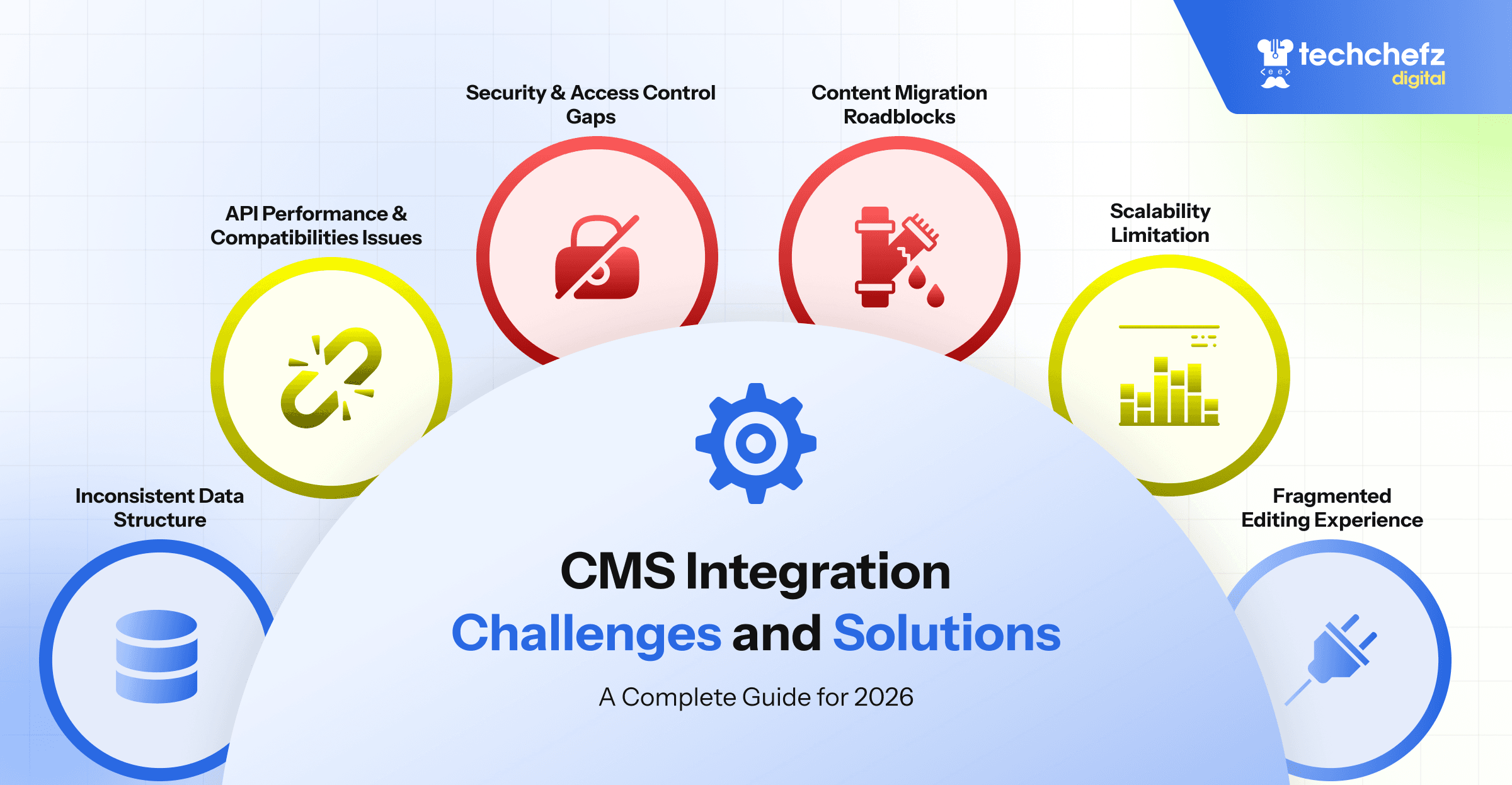
CMS Integration Challenges & Solutions: A Complete Guide for 2026
Published On
December 22, 2025
Author
Rahul Aggarwal
Services
Overview
Content Management System (CMS) integration is now one of the most critical technical needs for modern digital experiences. Whether connecting your CMS with CRM systems, analytics, e-commerce modules, or third-party platforms, successful integration drives personalization, efficiency, and customer satisfaction — while failed integration can cost time, money, and trust. In this blog, we’ll explore practical challenges, root causes, and battle-tested solutions that help enterprises deliver seamless CMS integrations.
What Is CMS Integration (and Why It Matters)?
CMS integration is the process of connecting your CMS with external systems — such as customer databases, marketing tools, analytics platforms, and other digital services — to extend functionality and deliver consistent digital experiences.
With modern digital ecosystems becoming more complex, CMS integration has moved beyond simple plugins to API-driven, headless, and microservices-based implementations that support omnichannel publishing.
Common CMS Integration Challenges (and How to Solve Them)
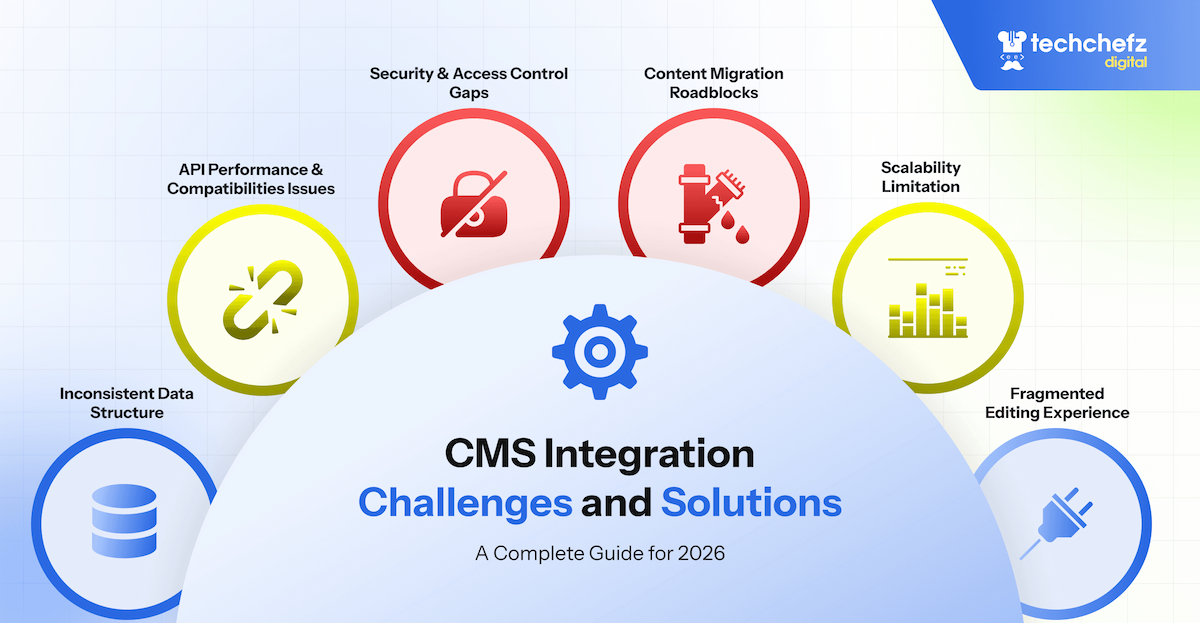
- 1. Inconsistent Data Structures
Different systems often use different naming conventions, metadata models, or data formats — leading to mismatches, duplication, or incomplete flows.
Problem- Misaligned schemas
- Duplicate data
- Data loss during transfers
Solution: Unified Data Mapping Strategy
Before development begins:- Document each system’s schema
- Define a single source of truth
- Standardize naming conventions
- Automate transformation (ETL or middleware tools) Formal data modeling prevents integration errors and builds a reliable foundation.
- 2. API Performance & Compatibility Issues
APIs are the integration backbone, but differences in protocols, rate limits, and outdated methods can slow development.
Problem
- Slow or unreliable API responses
- Limited protocol support
- Incompatible data structures
- Implement a lightweight integration layer that: Normalizes formats
- Caches results
- Provides unified interfaces for multiple services
Problem
- Weak or inconsistent access rules
- Exposed API keys
- Unmonitored permissions
Solution: Zero-Trust Identity & Secure Token Management Best practices include: OAuth2 or SSO across all services, Role-based access control (RBAC), Encrypted vaults for sensitive keys, Periodic access audits and Zero-trust safeguards your CMS ecosystem from unauthorized access.
- 4. Content Migration Roadblocks Migrating legacy content often reveals quality issues like broken links, inconsistent metadata, or outdated taxonomies — which can derail projects. Problem Broken URLs Duplicate entries Metadata incompatibilities Solution: Audit, Clean, Validate Follow this migration process: Audit – Catalog everything in the legacy CMS Clean – Fix HTML, tags, duplicates Migrate – Use bulk imports or migration scripts Validate – Run automated checks before launch This four-step approach ensures smooth migration and reduces risk.
- 5. Scalability Limitations As digital ecosystems grow, CMS integration layers need to handle higher traffic, more API calls, and dynamic content delivery. Problem Slow performance under load Poor caching strategies Limited CDN usage Solution: CDN + Caching + Modern Frontend Move static assets to a CDN Implement intelligent caching Adopt modern front-end frameworks (Next.js, Nuxt, Astro) These architectural moves drastically improve performance and user experience.
Best Practices for Next-Gen CMS Integration
Beyond solving problems, adopting the right practices will help you future-proof your stack:
- Choose API-First or Headless CMS Platforms These architectures make integrations easier and more scalable, especially for omnichannel delivery and microservices scaling.
- Prioritize Security from Day One Security isn’t an afterthought — it’s foundational. Integrate IAM, enforce RBAC, and regularly audit logs.
- Plan for Adoption & Training Integration value depends on usage. Ensure your team understands and adopts new workflows, interfaces, and tools.
- Monitor & Optimize Continuously Track integration performance, error rates, and API usage to catch issues before they impact users.
Conclusion
CMS integration is essential in today’s digital ecosystem — but it’s challenging. From data mismatches to security, scalability, and documentation issues, teams face many hurdles. The good news? These challenges are solvable with strategic planning, architectural foresight, and best practices. With careful attention to planning, orchestration, monitoring, and documentation, your CMS can become a central hub that empowers personalization, automation, and seamless digital experiences.
OTHER INSIGHTS
Explore More of Our Insights










































DISCOVER MORE